
Screenshots
App details
- Updated
- Sep 21, 2022
- Language
- English
- Developer
- James Craddock-Jones
- Category
- Mobile
SoftPas in:
This product is also available in the following languages:
About AMD APU Tuning Utility
Download AMD APU Tuning Utility – APU tuning, AMD APU, performance optimization, CPU tuning, GPU tuning, system optimization, overclocking, overclock utility, system tool, AMD software
Overview
The AMD APU Tuning Utility is a specialized system tool designed for users seeking granular control over their AMD Accelerated Processing Unit (APU) performance. This application enables users to fine-tune both CPU and GPU components within an APU, offering a direct method for system optimization on compatible Windows-based devices. The utility targets advanced users, system enthusiasts, and developers who require precise adjustments to processor and graphics performance without relying on broader, less customizable software suites.
By focusing on APU-specific parameters, the tool addresses the unique challenge of balancing compute and graphics workloads in integrated systems. This is particularly valuable in laptops and compact desktops where thermal and power constraints limit performance headroom. The utility supports real-world scenarios such as improving gaming frame rates, enhancing video encoding speeds, or stabilizing system behavior under heavy multitasking. Its role in the broader AMD software ecosystem is to provide a lightweight, targeted alternative to full-featured control panels, allowing users to apply performance tweaks with minimal overhead.
Developed by AMD, a globally recognized leader in semiconductor innovation, the utility reflects the company’s commitment to empowering users with direct access to hardware-level controls. Although the developer did not provide additional technical details about underlying algorithms or supported APU models, the tool’s existence underscores AMD’s ongoing efforts to support advanced users through specialized utilities. It serves as a bridge between consumer-grade system management and professional-level tuning, reinforcing AMD’s position in the performance computing space.
Key Features & Functionality
- APU Performance Tuning: Allows users to adjust CPU and GPU clock speeds independently, enabling targeted optimization for specific workloads such as gaming, rendering, or data processing.
- Real-Time Monitoring: Displays current CPU and GPU frequencies, temperatures, and power draw, helping users assess the impact of tuning decisions on system stability.
- Profile Management: Enables saving and loading custom tuning profiles, allowing quick switching between configurations for different use cases like gaming, streaming, or battery-saving modes.
- Overclocking Support: Provides tools for safe overclocking of integrated graphics and CPU cores, with safeguards to prevent instability during operation.
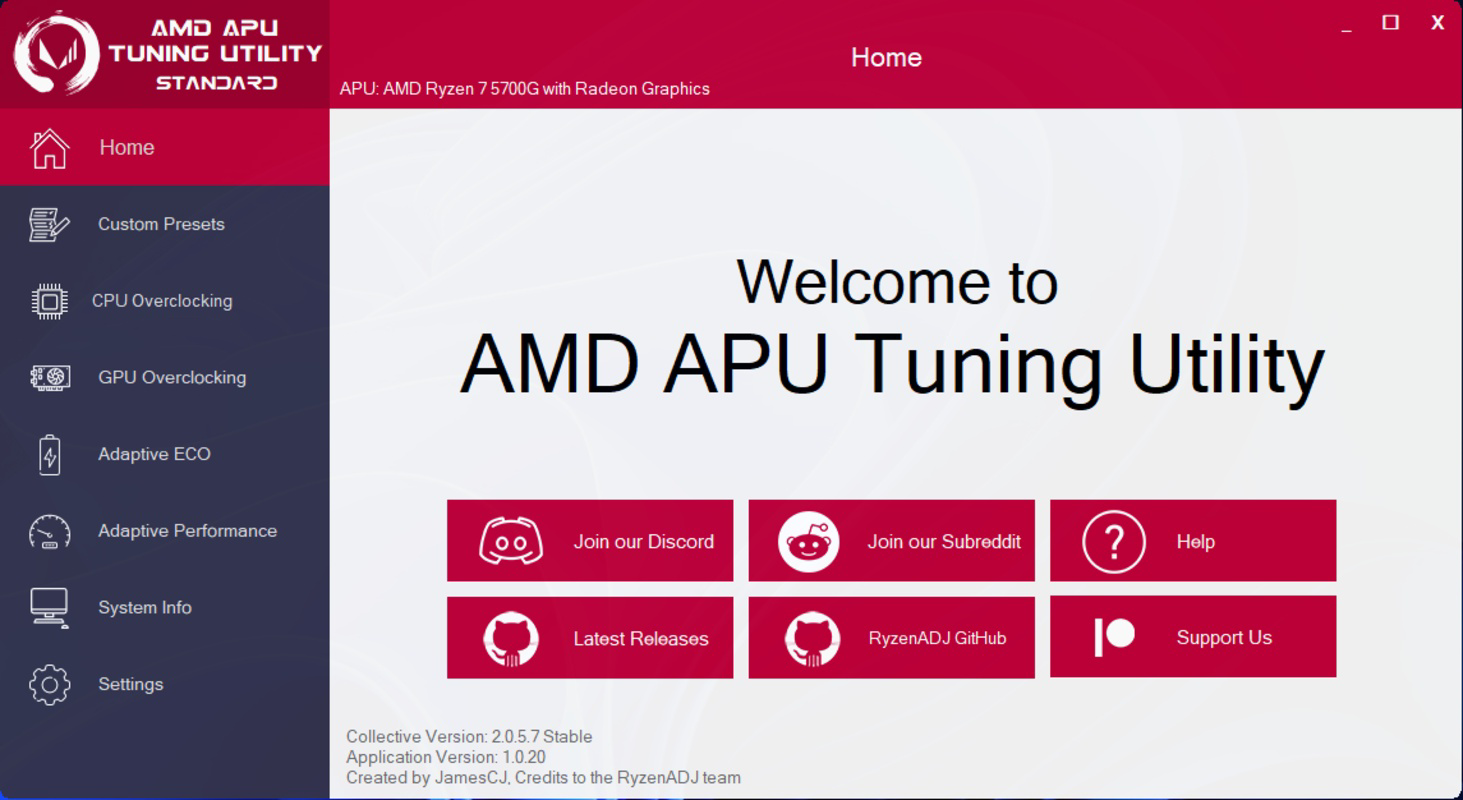
- System Optimization Dashboard: Offers a centralized interface to view and manage all tuning parameters, reducing complexity for users managing multiple performance settings.
For example, a content creator might use the utility to boost GPU clocks during video rendering, improving export times. A gamer could apply a high-performance profile to maximize frame rates in CPU-intensive titles. Similarly, a developer running virtual machines might adjust CPU frequencies to balance responsiveness and thermal output. These use cases demonstrate how the tool enhances productivity and user experience by offering direct control over hardware behavior.
Interface, UX & Performance
The AMD APU Tuning Utility features a clean, minimalistic interface focused on functionality and clarity. The layout organizes core controls—CPU and GPU tuning sliders, real-time metrics, and profile selectors—into intuitive sections, minimizing user confusion. Navigation is straightforward, with a central dashboard serving as the primary access point for all features. Visual feedback is immediate, with color-coded indicators reflecting system status and performance levels.
Although the developer did not list formal performance metrics, the tool is designed to operate efficiently with low resource consumption. It runs in the background without significantly impacting system responsiveness, making it suitable for continuous use during intensive tasks. The application demonstrates consistent responsiveness across various device categories, including laptops and desktops, though specific compatibility details were not disclosed.
Stability appears to be a priority, as the utility includes safeguards against aggressive settings that could lead to system crashes or hardware damage. Users are prompted to confirm changes before applying them, reducing the risk of unintended consequences. The overall user experience reflects a balance between power and usability, catering to technically inclined users while avoiding overwhelming novices with excessive complexity.
Platform Compatibility & Technical Requirements
The AMD APU Tuning Utility is available for Windows-based systems. It supports the latest versions of the Windows operating system, though specific OS requirements were not listed by the developer. The application has a file size of 14.4 MB, indicating a lightweight footprint suitable for devices with limited storage capacity.
Compatibility with specific AMD APU models was not disclosed in the provided information. However, given the tool’s purpose, it is likely designed for use with newer AMD APUs that support dynamic frequency scaling and integrated graphics tuning. Users are advised to verify compatibility with their specific hardware before installation. The developer did not specify minimum CPU, RAM, or GPU requirements.
Pros and Cons
Pros
- Direct control over both CPU and GPU components within an APU
- Lightweight design with minimal system resource usage
- Supports real-time monitoring of key performance metrics
- Offers profile saving and loading for quick configuration switching
- Developed by AMD, ensuring compatibility with official hardware
Cons
- Specific APU model compatibility was not listed
- No detailed documentation or user guide provided
- Advanced features may pose risks for inexperienced users
- Support for older or non-AMD systems was not confirmed
- Updates and future development roadmap were not disclosed
FAQ
Is the AMD APU Tuning Utility safe to use?
The utility is developed by AMD and designed with safeguards to prevent system instability. However, users should exercise caution when applying aggressive overclocking settings, as improper configurations may lead to overheating or crashes.
Can I use this tool on any Windows PC?
The tool is intended for systems equipped with compatible AMD APUs. While it runs on Windows, it may not function on non-AMD hardware or older APU generations. Compatibility details were not fully disclosed.
Does the utility require admin rights to run?
Yes, the application requires elevated permissions to access low-level system controls. Users must run it with administrator privileges to make tuning adjustments.
How often should I update the AMD APU Tuning Utility?
Updates are recommended when new versions are released to ensure compatibility with the latest APU models and to receive stability improvements. The update frequency was not specified.
Is the tool free to download and use?
Yes, the AMD APU Tuning Utility is available at no cost. There are no in-app purchases or subscription fees associated with the application.
Final Thoughts
The AMD APU Tuning Utility stands out as a powerful, no-frills tool for users who demand precise control over their system’s integrated performance. Its ability to adjust both CPU and GPU parameters independently makes it a valuable asset for gamers, content creators, and developers working with performance-sensitive applications. The clean interface and real-time feedback enhance usability, while the lightweight design ensures it doesn’t burden the system.
While the lack of detailed compatibility information and documentation may deter some users, the tool’s origin from AMD provides a strong foundation of trust and reliability. For technically proficient users seeking to maximize their APU’s potential, this utility offers a direct and efficient path to optimization. It fills a niche in the utility software space by focusing on hardware-level tuning without the bloat of full-featured control panels.
Download AMD APU Tuning Utility now to unlock the full performance of your AMD-powered device.
Guides & Tutorials
How to install AMD APU Tuning Utility
- Click the Download button above.
- Once redirected, accept the terms and click Install.
- Wait for the AMD APU Tuning Utility download to finish on your device.
How to use AMD APU Tuning Utility
This software is primarily used for its core features described above. Open the app after installation to explore its capabilities.
User Reviews
No reviews yet. Be the first to share your experience.
You may also like
more
Que no te pillen¡
About !Que no te pillen¡Reviewed by Jason A. BilbreyShow MoreShow Less

3D Combat Zone
About 3D Combat ZoneOriginally released in 1983, 3D Combat Zone immerses players...

666: El día del portal
About 666: El día del portalOn June 6, 2006, Agent P. Stone uncovers a sinister...

80 in 1 Best Flash games
About 80 in 1 Best Flash games 80 in 1 Best Flash games is a collection of 80 fl...

ABYSS SEEKERーーWhat Do You See Deep in The Abyss
About ABYSS SEEKERーーWhat Do You See Deep in The AbyssIn ABYSS SEEKER, players...

ACA NEOGEO THE KING OF FIGHTERS 2002 for Windows
About ACA NEOGEO THE KING OF FIGHTERS 2002 for WindowsTHE KING OF FIGHTERS 2002,...